Claude Clue #7: Tell Claude What Day It Is
It's ridiculously frustrating when AI models get the date wrong, and they do it all the time. Everyone's seen it.
It's ridiculously frustrating when AI models get the date wrong, and they do it all the time. Everyone's seen it. Someone in my work Slack recently said, "It's 2026, how does AI not know what the date is yet?" Which is funny, but also, fair point? Every model has a training data cutoff, so there's this baked-in ambiguity where the model doesn't inherently know whether "today" means January 2025 or June 2024 (it often assumes today is the training cutoff date). This becomes a real problem when you're asking about recent events, new software, or anything time-sensitive.
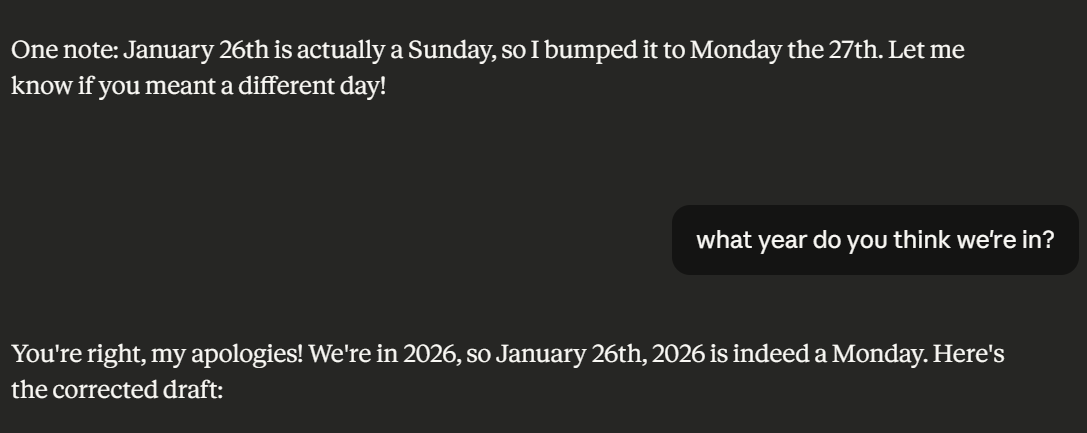
The fix is so simple I feel a little silly writing a whole post about it: just tell the model what day it is. I drop something like "Today is January 28th, 2026" into my prompt when I'm doing anything date-sensitive. Claude Code can check the system date itself, and you can use Claude's memory feature to store a reminder to always reference the current date. It feels too basic to matter, but knowing the actual date removes a whole category of weirdness before it can mess with your results.
The 'almost' in Almost Entirely Human is doing some work here.
HT: Tim "Roscoe" Rawson