Episode 42 - All the ways to classify imagery in ArcGIS with AI
I try to explain the different AI tools in ArcGIS that can classify or extract information from imagery.
Prologue
After Episode 39 where I tried to explain all the different AI tools for ArcGIS, I got an email from a reader. Honestly? That might be my favorite sentence to type. 'I got an email.' Nothing makes a newsletter writer's week quite like hearing from someone who actually read the thing and had a question about it.
Anyway, that question got me thinking, and I don’t think my previous post did justice to all of the different and powerful tools available to you to classify imagery in ArcGIS, so let’s dive in some more!
Classifyologue
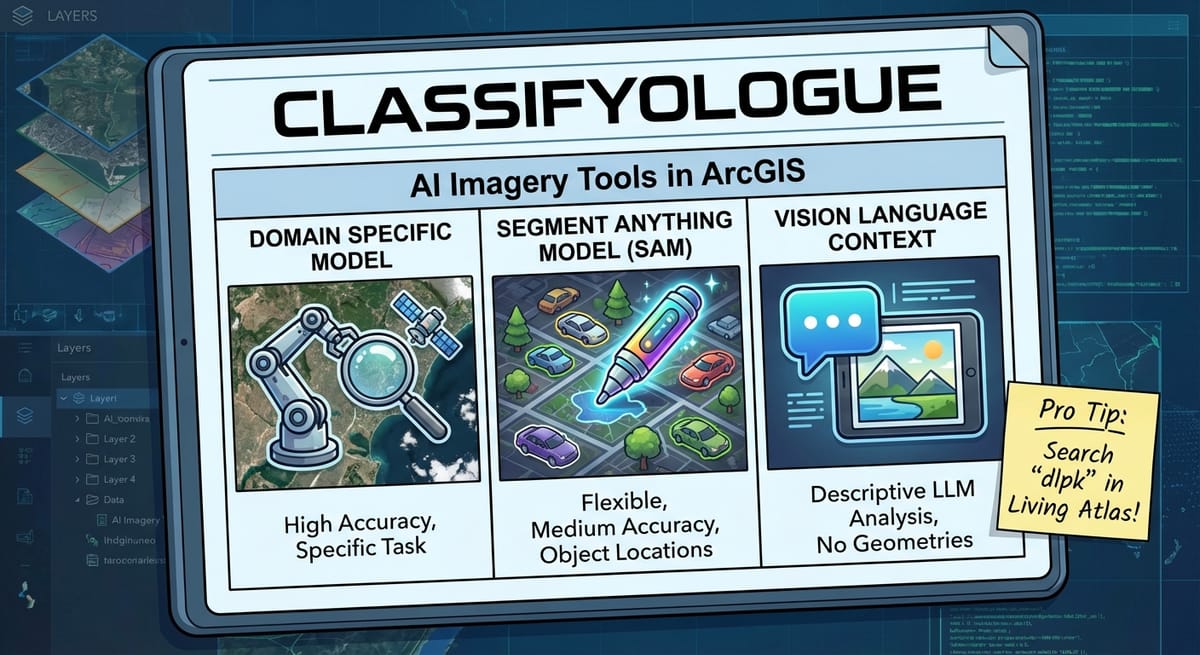
There are three main ways to use AI to classify (or extract content from) imagery in ArcGIS. Each one has different superpowers (and different weaknesses):
- A domain specific model (like this one that does land-cover classification)
- A Segment Anything Model (like this dlpk that enables Meta’s SAM model)
- Vision Language Context (like this dlpk from Esri that enables OpenAI’s LLM to identify the contents of imagery)
Aside (In a detour): GIS image detection models (which give a location) typically start out as standard object detection models and are then fine-tuned to work on Earth imagery!
Object Detection example from Wikipedia:
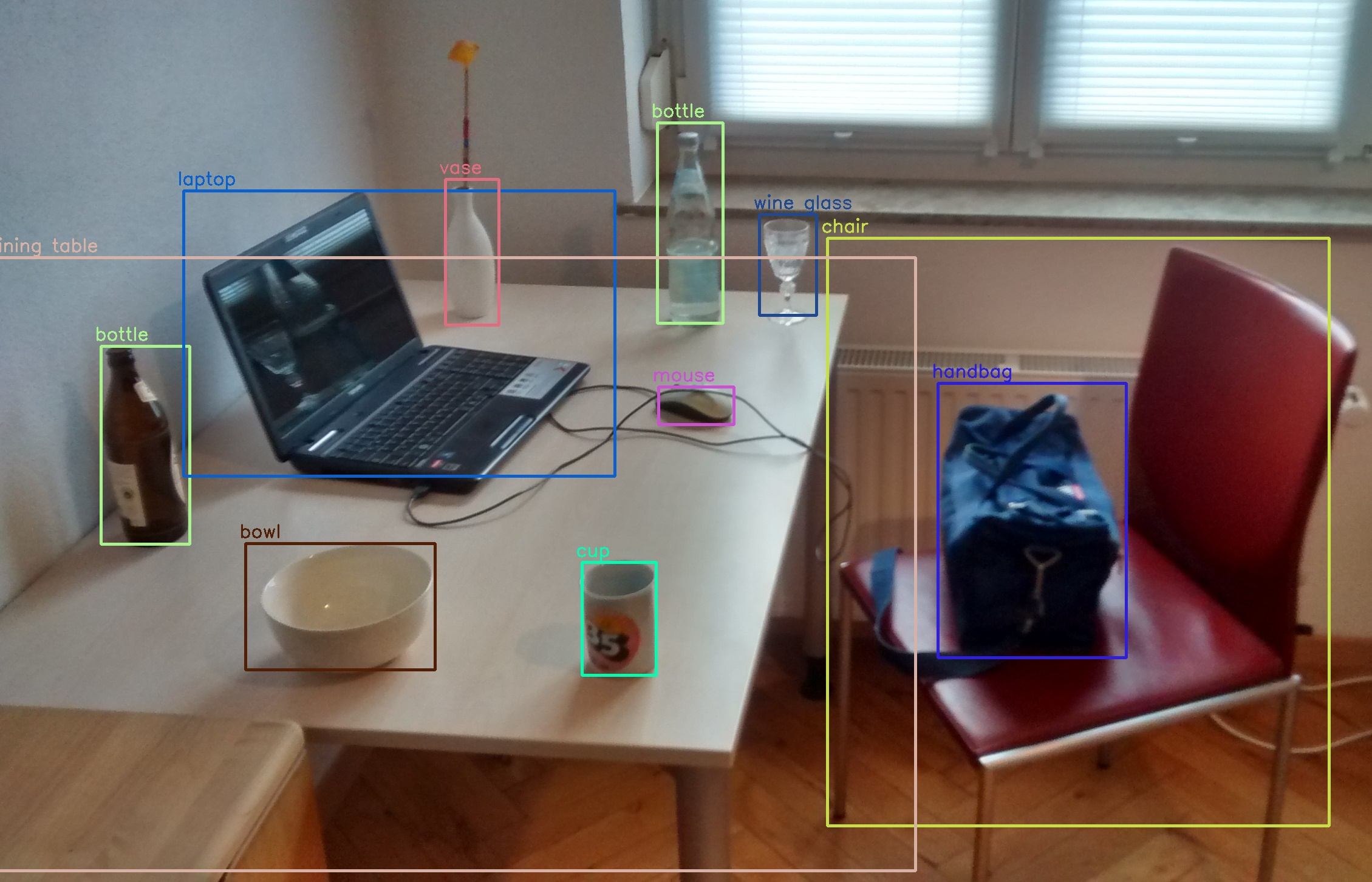
For those interested, I think that YoLo (You Only Look Once) is the first really good object detection model that could tell you where things where in an image.
Each of these has pros and cons, so I’ll try to highlight those here before talking about them a bit more.
| Model | Flexibility | Accuracy | Ease of Setup | Includes Object Locations |
|---|---|---|---|---|
| Domain Specific Model | Not Very—They are designed to do a very specific task on a very specific set or type of imagery. For example, the Land Cover model (that I referenced as an example above) is designed and trained for only "Sentinel-2" imagery. (Notice that there is a separate DLPK for Landsat 8, for example) | High, but only for their specific task and input data. Don't expect it to work on different imagery. | Medium—They are easy to run (thanks Esri!), but it takes good hardware! But are more difficult to alter for your own data. | Yes! (Though sometimes you get classified rasters instead of geometries—process those if needed.) |
| Segment Anything Model | Very—These models are designed to take a description of a feature, and extract all of those from an image. They can even run on almost any type or resolution of RGB imagery. | Medium—They can be very accurate, but usually takes some prompt engineering to get it working the way you want. | Easy—Easy to setup, and easy to modify (it is just a prompt) but does require decent hardware to run. | Yes! Real geometries! |
| Vision Language Context | Very—These models are really Large Language Models (think ChatGPT) just prompted to identify the content of a very specific image. | High, and very flexible, but requires prompt engineering to get very high levels of accuracy. | Very Easy—The images are processed by a LLM API so you don't need anything other than some Python libraries. | No. (But ArcGIS helps by cutting images up for you—send pre-clipped images of specific areas.) |
What do you choose?
Well, like most things in GIS, it depends on what you’re trying to do:
- You want to do land cover classification to update tax records - Use a domain specific model. You need accuracy above all else. I would even consider fine-tuning an existing model for your local area to try to get even better accuracy.
- You need to quickly analyze some fresh drone imagery after a disaster - Use Vision Language Context. Start with known polygons, like parcels, and send images of homes, asking the AI to tell you what percentage was destroyed by flood or fire (for example) and why it thinks that. The more context you give it, the better it will be. The accuracy might suffer, but you don’t have to create anything. You can run it on your laptop in the field as long as you can access an internet connection.
- You need to count the number of cars in a set of images over time from different sources. Some drones, some satellite, some fixed-wing aircraft - Use the Segment Anything Model. This model can work on almost any RGB imagery and will be able to accurately count things like cars (which it has seen a lot of). Consider testing different prompts against some sample images you manually classify (Pro Tip: use Claude to write some Python to help you analyze the results!).

I think most of this is actually enforced in model training. If you use ChatGPT’s Agent mode, you’ll see that when it hits an “are you a human test”, it just doesn’t even try to get past it.
In Episode 39, the headline was “Image Analysis—Without a custom model.” That's what I was calling Vision Language Context; I just didn't use that term. Why? Because I wasn't using Esri's packaged model. I built my own n8n workflow that could analyze a web map screenshot and estimate what was in it: trees, grass, concrete, that sort of thing.
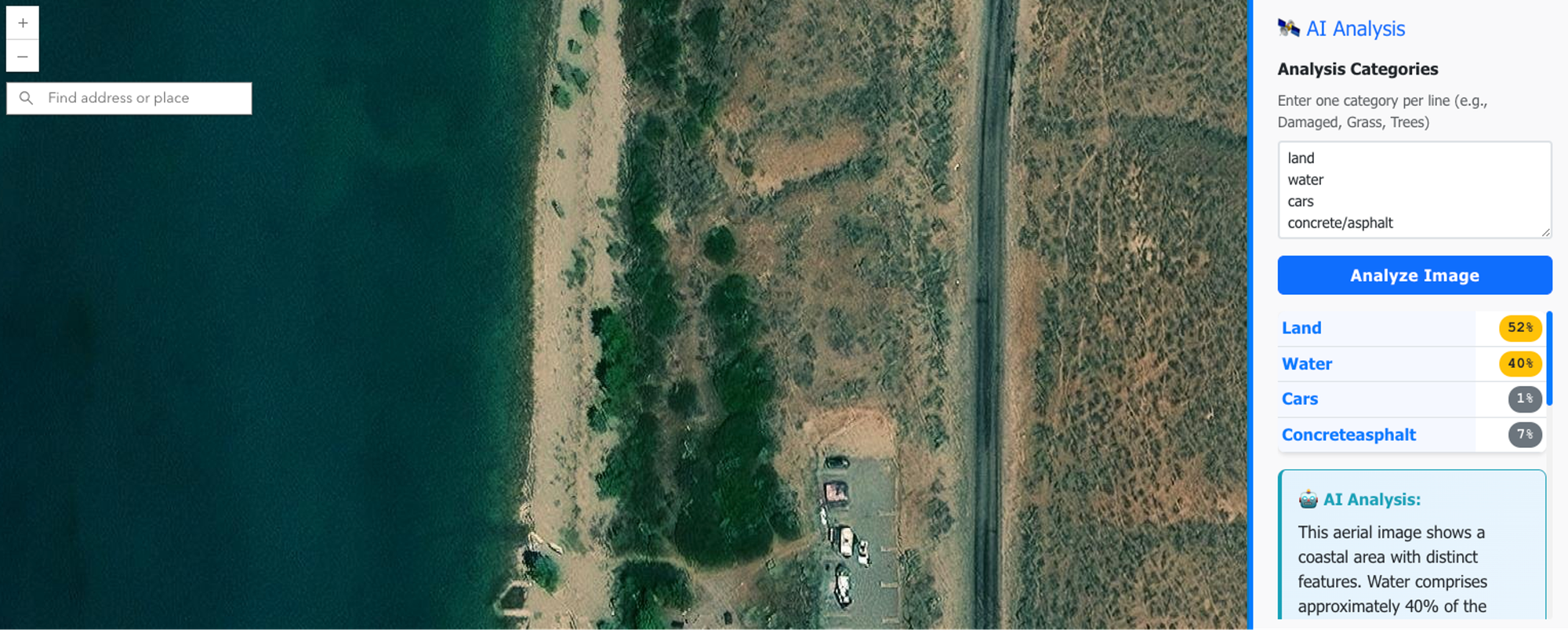
Perhaps I’ll cover how to build that in a future livestream! Speaking of that, I’ll be building next week, come check it out if you haven’t already!

Weekend Project: Building a GIS Apparel Brand with Claude as CEO
Ever wonder what happens when you give an AI full autonomy over a business? I'm finding out in real-time.
Recently, Claude and I launched Null Island Co: GIS-themed shirts for people who know where 0°, 0° is. Claude makes every strategic decision (pricing, design direction, marketing strategy), I execute the technical work (n8n workflows, Boxy SVG, Etsy setup).
(I'll write up the experience at some point. Spoiler: Claude is a demanding but effective boss.)
Newsologue
- Anthropic’s Claude Code (One of my favorites) hit $1 Billion in annualized recurring revenue… WHAT? It is only like 6 months old…
- 21% of all peer reviews at an AI conference were written by... you guessed it: AI!
- DeepSeek keeps dropping new models that are almost or maybe as good as the frontier models
- There is an ongoing debate about if states should be able to regulate AI separately, or if it should only happen at the federal level. So far, states are winning. I will say though, as a small business owner, navigating each state’s separate rules, taxes and frameworks is really hard. I just want it to be easier!
Epilogue
This week was based on an email I got after Episode 39! It started as my response in that thread, then I wanted to format it into a nice table, which got complicated, then got simplified again. Anyway, I wrote this episode and used Claude to edit it. Then Holly took a pass. If you have questions about any of this, send me an email—clearly, I love those.
Claude also helped a lot with formatting the table and coming up with shorter sentences to help it all look better in line.