Episode 51 - Building Spiel - A Voice Dictation App
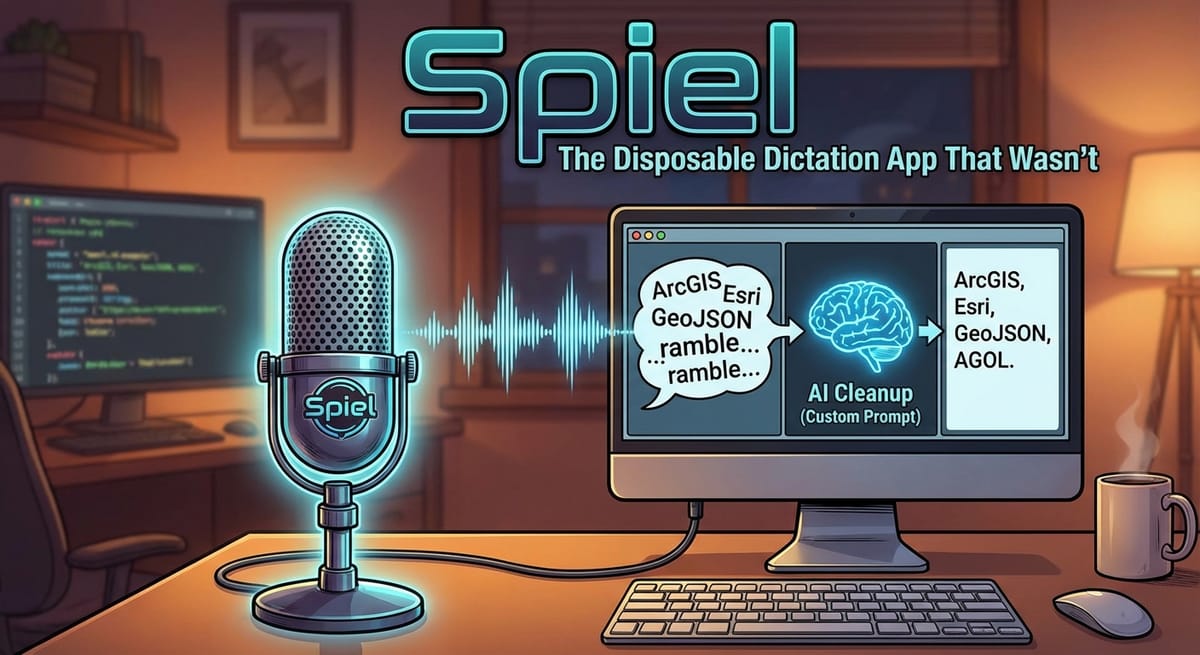
I used Claude Code to build a voice dictation app called Spiel. It uses OpenAI's Whisper for transcription, has an optional AI cleanup step with a prompt that I can control, and it only took me one evening to make!
Prologue
Not so long ago, in Episode 44, I wrote about discovering voice dictation as a way to talk to Claude, ChatGPT, and other AI tools. I have been using it constantly! Sometimes I just ramble out loud for minutes at a time and send the entire flow off to Claude to deal with. I find that the details of my thought process matters and helps the AI focus on delivering something that I want.
My problem is that the macOS built-in dictation tool just doesn't have enough oomph. It doesn't know some words like "ArcGIS" or "GeoJSON" and you don't want to see what it thinks "Esri" is.

Sometimes it is great, sometimes it isn't; the problem is that it is inconsistent. To make it worse, it also could only transcribe for a limited period of time, and I would often find myself in the middle of a thought then it stopped and I had to restart it. So, I built my own!
TL;DR - I used Claude Code to build a voice dictation app called Spiel. It uses OpenAI's Whisper for transcription, has an optional AI cleanup step with a prompt that I can control, and it only took me one evening to make!
Spielologue
I've seen mentions of apps like Wispr Flow on social media (there are a lot of tools out there right now that use AI for transcription, and for cleanup). They all look great, but I have subscription fatigue! Another $20/month felt like a lot when I wasn't sure how much I'd actually use it (turns out a lot) and if it would be any good.
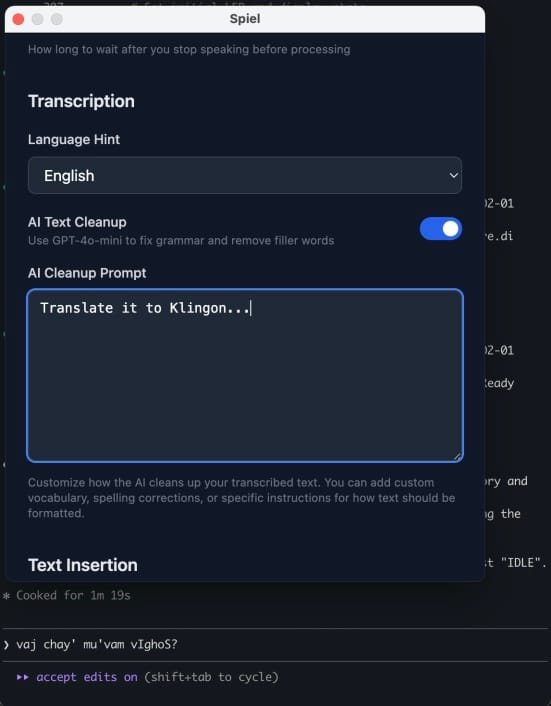
But mostly, I wanted some features that these apps don't have, like the ability to write my own system prompt for cleanup. Most tools offer the ability to add custom words, which is great, but I wanted to tell the AI how to cleanup my speech. Something like: "You are transcribing text for Christopher who works in GIS and AI and uses terms like ArcGIS, Esri, GeoJSON, AGOL …"
Commercial apps don't usually let you do this, and for good reason: security. If you could write any system prompt you wanted, you could make the AI do all kinds of expensive things that have nothing to do with transcription. It makes sense that companies offering a specific service would lock that down. But it also means that the tools don't do exactly what I want.
The Build
I used my same process: Think, Engage, Test to build the app.
Think
Before Claude started coding, I wanted to be very clear about what I actually wanted:
- Double-tap the control key to start a recording
- Speak naturally and see a live transcription (or semi-live anyway)
- Double-tap again to stop
- When it finishes transcribing (after I double-tap) it should automatically put the text where my cursor was. It does this by automating the copy & paste process.
- Optional AI cleanup step with a prompt that I control
I also knew that I wanted to keep this app simple: no special voice commands or specific app integrations or history, just record → transcribe → paste.
Engage
This step was surprisingly simple. The requirements and design from the Think step were complete enough that Claude built a working version of the app on the first try. There were a few missing things from the original design, like needing a settings screen, and making sure it was a real macOS application (built in Electron). But about an hour in to the project, it was working!
Test
There was a lot to test and refine for this project! Mostly the issues centered around the recording and the pasting of text. For recording, we (Claude and I) discovered that when you send a WebM file to the OpenAI API for transcription, you need to make sure that the header chunk is there. One of the requirements is that when the window is open, it is constantly recording, even if I pause and it sends a chunk off to be transcribed, it should still be recording. That means there are constantly little chunks of audio being sent and transcribed. Each of those chunks needs the headers describing what it is.
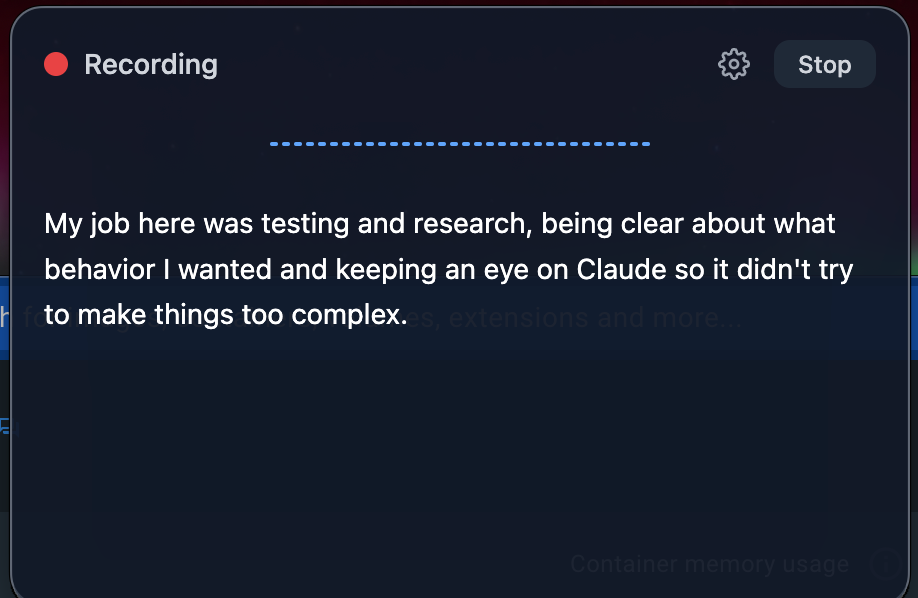
My job here was testing and research, being clear about what behavior I wanted and keeping an eye on Claude so it didn't try to make things too complex.
A Note on Cost
This app isn't free to run. I'm using OpenAI's Whisper API for transcription and GPT for text cleanup. Both of these cost money and charge me per token I send instead of a monthly fee. The good news is that my cost is directly proportional to how much I use it. For my usage pattern, I estimate that I will spend $1-5 per month. Honestly, I can't believe it is that low! How is this stuff so cheap?
A brief video showing how I use Spiel to talk to Claude Code.
The Disposable App That Wasn’t
Back in Episode 4, I wrote about disposable apps—tools that you build once with AI for a specific purpose and then throw away. If an AI can regenerate the app whenever I need it, maybe I don't need to maintain it at all!
Spiel isn't exactly that. It is a fully functional app with a settings screen, it starts on login, and even has an icon in my menu bar. But it isn't production ready, and I wouldn't ship this to a customer. But it is good enough for me, and far better (and more maintainable) than any Python script I would have written in the past if I wanted to automate a task like this.
I think this is some middle ground between a production ready app and a disposable one, something that is not production ready, but is good enough for you.
Your mileage may vary for paying for an app vs building one yourself. I am comfortable with an app like this because I can read the code and understand what it is doing; it was small in scope and it can't really do any damage. It records audio only when I tell it to (it isn't always listening) and pastes the transcription into whatever app I had open. There is no database, no file system access and no integrations beyond the OpenAI API for transcription.
I think basically the worst case scenario for Spiel is that it transcribes words incorrectly, which I will see because I'm mostly watching what it is doing. When building applications with AI, it is worth considering what the "blast radius" will be if something goes wrong. For Spiel it is basically zero.
I built this the same weekend I built GeoScribble. I built two simple apps in a weekend—that's the kind of thing these AI code assistants make possible.
The source Code
If you want to try it out yourself, you can find the code on GitHub (github.com/morehavoc/spiel). A coworker of mine is working on updates to support Windows as well. The README file is decent, but this is very much a "works on my machine" situation. I built this for my workflow. If it is useful to you, or you want to alter it for yourself, go for it!
Newsologue
- Moltbook - A social media site for AI bots is born. It is very weird, and full of security leaks. A lot of it is probably fake, but not all of it. The agents/bots connect to this platform and… well, it believes what it reads on the internet. Something you should never do (okay, yes, there are lots of places you can believe what you read on the internet, but this is not one of them! Remember when Wikipedia wasn’t trustworthy?). This was born out of OpenClaw (which has had several names, at this point) which is a very powerful form of a Ralph Wiggum loop. This “loop” allows the agent to work without asking questions and without human interaction towards a goal. The power of OpenClaw is that it gives the agent unrestricted access to the computer… your browser, your passwords, everything, so it can get the job done. Maybe I’ll set this up to really run the Null Island T-shirt shop…
- Anthropic released Claude 4.6 yesterday - I have been using it! I can’t say that I’ve noticed a big difference in any specific task yet, but I will say that it does seem much better at calling tools and managing being working on a task for longer.
- Rent a Human - Thanks to Moltbook, someone thought that AI would need to rent a human in order to get things done in the real world. It sounds super strange, but I did think this was going to happen, just not before we had AGI. Well, of course it can exist, and in some ways I’ve already done this myself (not with an app)—having Claude in charge of a T-shirt shop where I just do what it says.
- AI coding assistants are not getting worse - There was an article in IEEE making the rounds on the internet recently claiming that “AI Coding Assistants Are Getting Worse.” The author wrote about “silent but deadly failures” which are very scary and are things that can happen (even to humans). But the article fails to define success well, and ignores the broader context that an AI needs to make good decisions. My friend Danny at AGI Friday did a thorough review and showed his work—Spoiler: AI coding agents are not getting worse.
Epilogue
This post started as the application, then a long conversation with Claude about lessons learned and the adventures I took—all using Spiel (very meta). Claude wrote some drafts, and we talked about the style and the organization, then I wrote this post. Claude edited (with all that previous context) and then Holly edited too.