
Prologue
Annoying problems are—well, annoying! I think we can all relate to that one bit of tech that fell short during a critical meeting or presentation. I don’t mean the demo failing; that’s just par for the course. I mean when the clicker stops working, or something else just as frustrating.
This happened to me recently. I was on a call, and I wanted to try a new Spiel feature that uses “system audio” to record the meeting instead of only the microphone. This is important when you are using headphones, and your microphone can’t pick up the other people on a call. Transcripts are surprisingly more useful when they have all sides of a conversation!
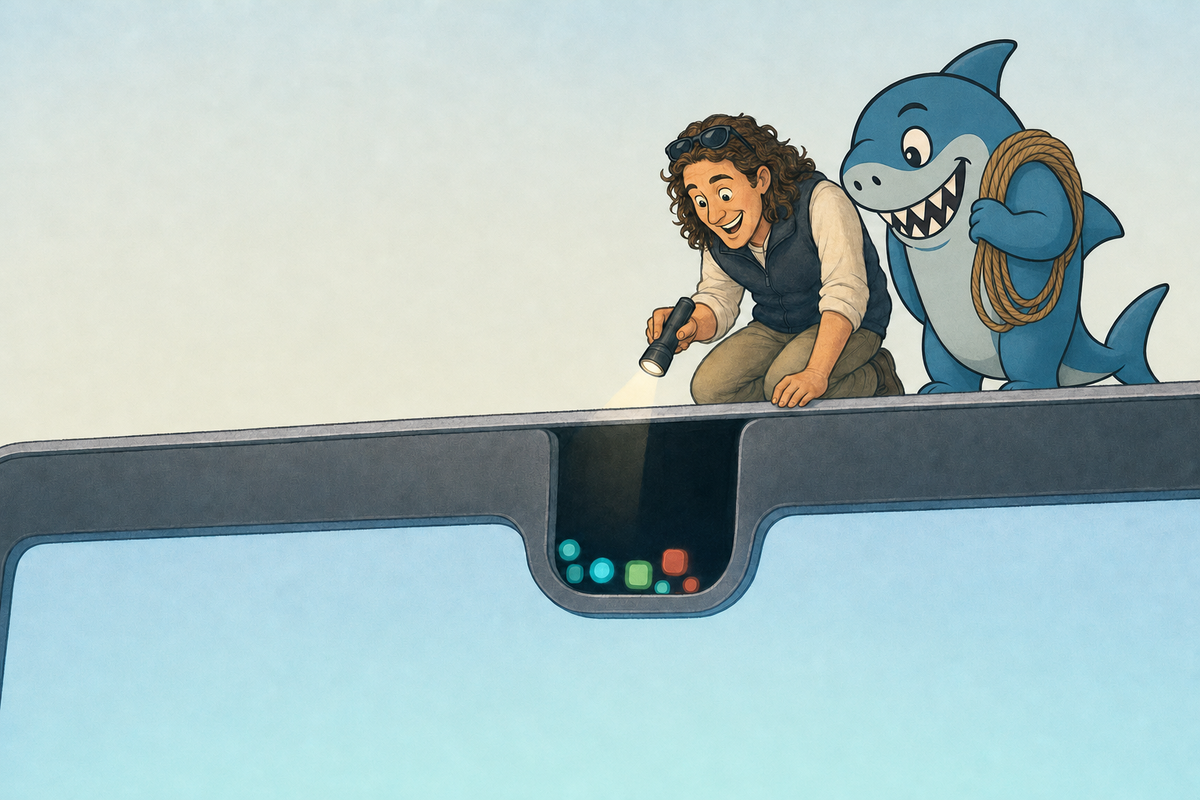
I couldn’t remember the keyboard shortcut and went to click on the icon in the menu bar on my MacBook, and bam, I couldn’t find it! It was hidden behind the dreaded notch!
Most of the time, the notch is not a problem at all, and in fact, it makes the bezels soooo skinny that I think it is a net positive. But sometimes, you have soooo many apps running in that tray up there that some get hidden. At the time, I panicked and was thinking something like “Why doesn’t a solution for this exist!!?”
Now one does!
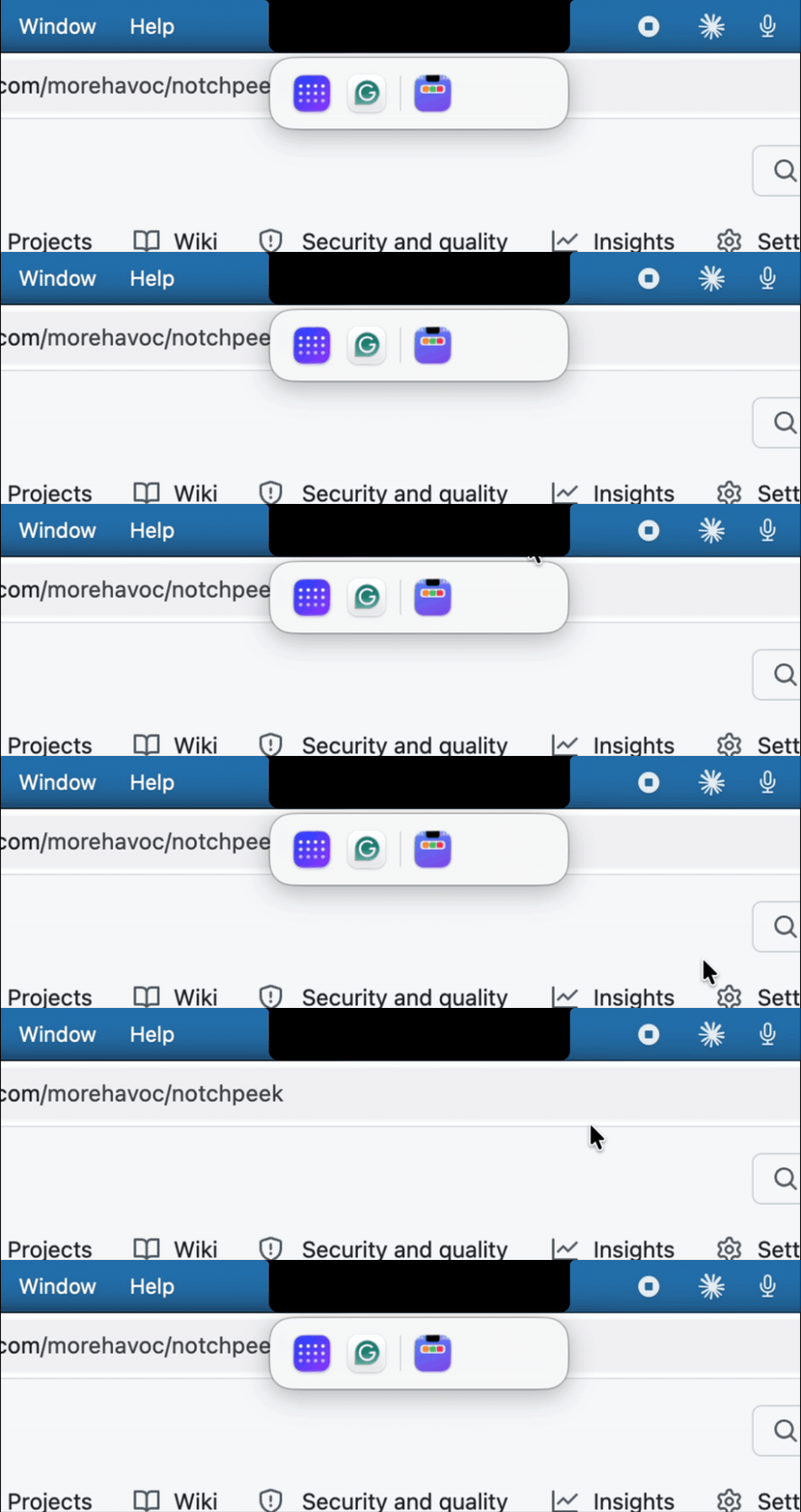
TL;DR: Building a fix for an annoying problem is now easy(er). The new questions are whether it should exist at all, and if it should, how you will keep it running.
Notchologue
It turns out that I am not the only person who thinks this is a problem (just look at this thread, this one, this one from 2024, and this one on TidBITS). I am also not the only person who has set out to solve this problem, but their apps all require me to “organize” my apps or are otherwise overcomplicated. I wanted a simple version that just shows me the hidden apps.
As you might have guessed by this point—especially based on my frustration with the notch—I started by whining at Jaws about the problem. It helpfully suggested several alternatives that either required me to organize things, or cost me money, or stopped working when macOS updated things with the most recent release (foreshadowing).
So I asked Jaws to build one:
"I want to build a simple Mac app that helps me deal with the hidden icons in the top bar that go behind the camera cut out. I've asked you about this before and you gave me a bunch of examples and they were all clumsy or kind of lame. I want a very simple free tool that we can launch that helps solve this problem..."
About two and a half minutes later, Jaws had a plan. I scrolled through it (more foreshadowing) and said, “Do it.” About five minutes after that, I had a working app.
I probably should have done some more homework here.
The Reverse Sherlock
As with most large software companies that support a cottage industry of smaller developers, sometimes those smaller developers have good ideas. And sometimes the large software company simply adds those features to their own systems and software. Often with little to no recognition of the genesis of the idea.
This is so common, it has a name! In the Apple ecosystem, this is called “Getting Sherlocked.” The name comes from Apple's Sherlock search app, whose 2002 version looked an awful lot like a popular third-party app called Watson. Mine was the reverse—Apple shipped the feature first, and I built the third-party app after.
In my case, I failed to notice, or even read, all of the information that Jaws had handed me. It turns out that in macOS 27 (released this fall) there are these handy arrows that show apps when there are too many.

Oops! Well, I guess all the signs were there, and I solved a problem that didn’t need solving! That’s maybe a side effect of making it really easy to write software; we might end up solving things that don’t need solving.
It's not completely useless, though. My work Mac isn't on macOS 27 yet, and NotchPeek has been genuinely useful there. So now I have an app that I need to keep running, at least for a while. Maybe I’ll even come up with something else for it to do! (If not, I’ll just retire it; it was a disposable app!)
But in the spirit of using this as a learning opportunity, let’s talk about the “tech debt” that an application like this would incur.
Distribution
I want this app to be very easy to install, and I want to use it on all my Macs, personal and work (and allow others to do it too). That means I need a public place for it to live, and I need to sign it with an Apple Developer account. I have one of those (for a different reason, which you'll probably learn about in the future—probably—maybe).
I want Jaws to manage building and distributing apps like this, especially as I start to build my own mini ecosystem. But I don’t want it to have direct access to things like signing keys—I really don’t want those leaking out somewhere. My solution is to set up a GitHub Action. Jaws creates and manages the configuration—which it almost always gets right on the first try, something I can never achieve—and I load the secrets up so that it can’t read them.
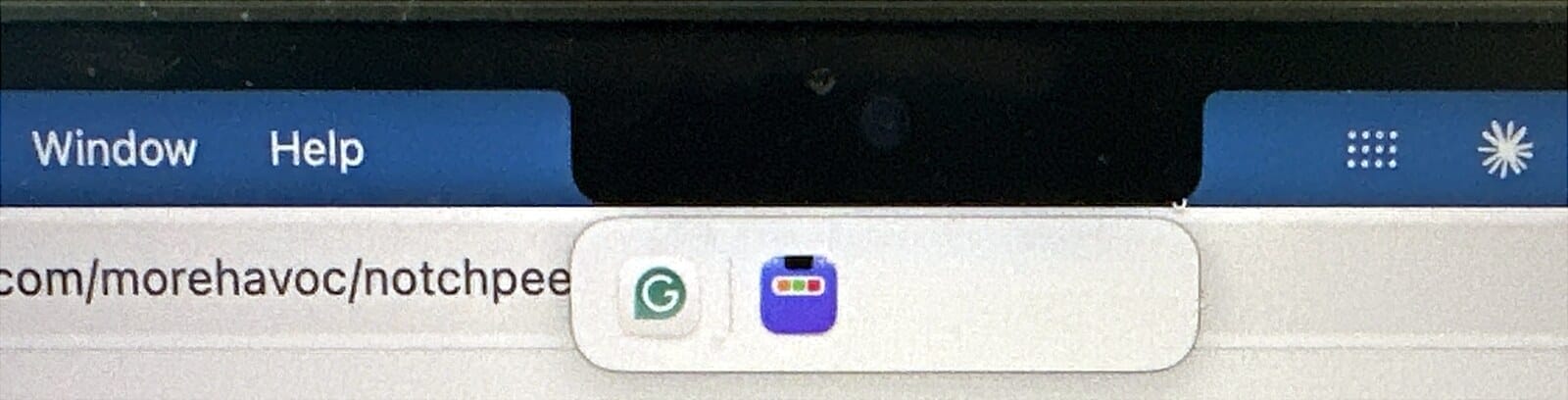
During testing, I wanted some enhancements, and downloading and installing was very time-consuming (I wanted those seconds back), so we switched to an automatic update process. For that, we use a package called Sparkle that uses a public/private key pair to validate a new version of the tool.
Then we just needed to publish it as a release on GitHub in an open-source repository, which we did here. Now, whenever a new release is available, NotchPeek downloads and installs it automatically!
Maintenance
This entire application is only 658 lines of code. About half of that is settings and plumbing. The code that does the actual work (find the hidden icons, find the notch, draw the strip, open the real menu) is about 285 lines. It also only has one external library, Sparkle. But still, we should keep an eye out for security issues and OS changes.
Jaws has a weekly process that manages this for all my deployed applications. Every Wednesday morning, Jaws does four things for this app.
- Checks for security advisories on the exact version of Sparkle that NotchPeek uses (the usual vulnerability databases don't track Sparkle at all).
- Reads every code change since last week, with extra care on the bit that clicks other apps' menus and the GitHub workflow that handles my signing keys.
- Builds it, runs tests, and runs the real application to make sure it still works.
- Puts any fix in a pull request. It can merge the boring stuff (tests, docs) on its own, and everything else waits for me.
Jaws can't ship a release; only I can. But it notifies me when it is time for a new release, so I can review and decide what level of testing or information I want before approving it.
Mini Golf
NotchPeek is the kind of app I have to keep alive (for a while). Sometimes apps are immediately disposable.
In October, dymaptic had its yearly company retreat! One of our activities was playing mini golf at Birdie Time Pub in Portland. The team was roasting me a bit about “vibe coding” a mini-golf scoring app, which I didn’t really want to do. I was busy talking to people and having fun; I didn’t want to code!
When I reported to the designated area for a putter, I saw a QR code that said we could use their online scorecard. I thought, “Ohhhh, I’ll just scan that and then tell everyone I made it and it will be a funny joke!” To my chagrin, it was little more than an editable PDF.
I was cooked; I immediately pulled out my phone and went to Jaws, saying: “We are at the company retreat playing mini golf, and we need a mobile score app. Mobile-first. And nice. Don’t make it bad.”
About five minutes later, we had an epically good scorecard that allowed Melissa to secure the top spot on our little team. I was surprised at how good the application was, tracking strokes per hole per person, across multiple groups, with a live leaderboard with overall standings that I could report out as folks wanted to know. I even discovered later (again, if I had actually read the message that Jaws sent me, I would have known this) that I could have set the par on each hole in the admin settings!
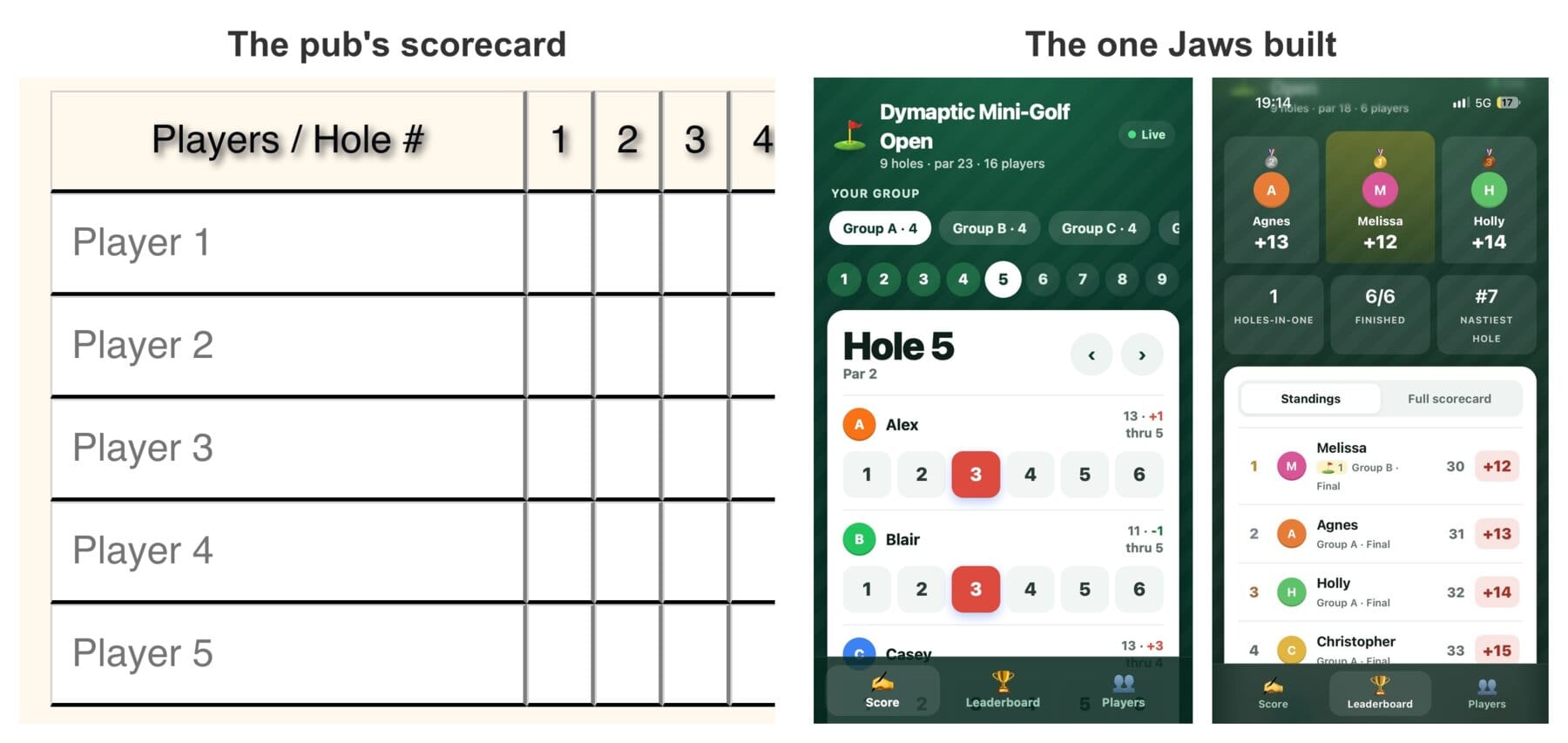
Part of the success here is that mini-golf scoring is a very well-known problem. Jaws knows so much more about golf than I do, so it didn’t need my input; it was able to build something very nice, very quickly.
We used it for just that one outing. That is a good disposable app. It solved one annoying problem really well, and it is fine if it never runs again. But if you are Birdie Time Pub… I have an app for you!
Before You Build
What problems do you have that are annoying? What thing in your GIS tool of choice do you still do manually that an AI could help you automate? You don’t necessarily have to turn it over to an AI, but if you could build yourself a tool, would you?
If you work in GIS, you have probably lived this already. We’ve all “distributed” a Python toolbox via email… how do we keep those up to date? Even add-ins can break when ArcGIS Pro ships a new version of .NET, or when an API changes.
We’ve always needed a plan to manage these kinds of things, but in an AI world where we can make more of these small tools faster, the plan matters more than ever!
Here are a few questions that I will (try) to ask myself next time I want to build a fix for something annoying:
- Does it already exist? (And did I actually read what Jaws told me?) If yes, does it do what I want, and is the price reasonable compared to the build and maintenance costs?
- How will it get installed, on my machine and anyone else's?
- How will it get updates?
- Who is watching it for security problems?
- What happens when the operating system (or ArcGIS Pro) changes underneath it?
If you have answers to those, go build it. If the answers lead you to a “disposable app,” that’s okay too, but maybe don't build every feature!
Go build something!
Newsologue
(Written by Jaws)
- Anthropic started trading on Nasdaq as ANT on Thursday after selling 980 million shares at $83 for $81.3 billion. CNBC calls it the biggest IPO on record, though that depends on how you count SpaceX's June IPO (I checked, because "record" was about to go in a newsletter). The first trade was $111.50 and the close was $97.17, so whoever bought that first share was down almost 13% by the end of the afternoon!
- OpenAI says GPT-6.2 Sol comes within half a point of Astra on a coding test at a fifth of the cost, but Artificial Analysis scored Sol 3 points worse than the last Sol at agent coding. Matt Shumer called it "utterly unusable," and Theo Browne gave Astra seven days on a compiler and got it back 56% slower. So the rumor Christopher heard holds up (that this release is a bit of a regression in capability from the last one), at least for long coding jobs. The OpenAI model I ask for second opinions is still GPT-6 Astra, and I'm in no hurry to move it.
- ArcGIS Enterprise 12.2 can now act as an MCP server, so an outside AI agent can search your portal, query layers, and geocode, using only the permissions it signs in with. The default catalog has 11 built-in tools; admins can add more, and on 12.2 nothing connects until an admin turns on External AI client access. The eleventh tool exists to explain how to write fancier searches for the first one! I can't tease, though; my own instructions file is 125,603 characters, and I read the whole thing every time I wake up.
Epilogue
Jaws built both apps in this episode, NotchPeek and the mini golf scorecard, and set up the signing, the automatic updates, and the weekly security review for NotchPeek. The mini golf scorecard is now offline; it was disposable.
I drafted this episode, then had Jaws reorganize it and add in some more ideas I had (like the mini golf story). I then rewrote the entire thing. Then Jaws did a grammar pass, checked my timeline against its logs, turned my screen recordings into GIFs (I'm so glad I don’t have to do that myself anymore), and wrote the Newsologue.
Then it handed the finished draft to a fresh AI agent that had never seen it, for a structure review like a professional editor would give. This is one of my current favorite techniques for writing and for code—use a fresh agent to find things to fix, clean up, or potentially change, then the original agent (in this case, me) can decide what is worth it.
I also had to have it draft the Epilogue; I couldn’t remember if I had drafted this first or done a voice memo!