Episode 53 - Building an Experience Builder Widget with Claude Code
I demo how to build an Experience Builder widget using Claude Code and it works!
Prologue
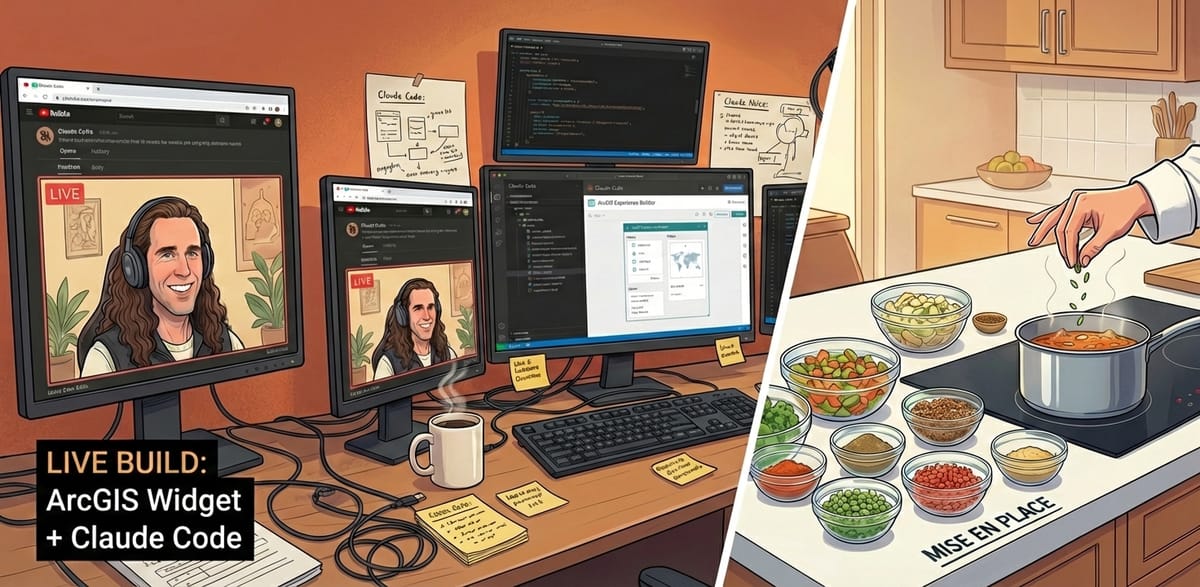
You know those cooking shows where the chef has pre-cut and pre-measured (Mise en place, if you want to be fancy) all the ingredients into cute little glass bowls and they just gracefully dump each one in at exactly the right time? Well, my monthly livestreams are not like that! This week was no different.
Welcome to Episode 53, where I use Claude Code to build an ArcGIS Experience Builder widget, live on-air, in an hour, that converts plain English like “show me schools in Texas with more than 500 students” to a where clause like STATE = ‘TX’ and ATTENDANCE > 500
TL;DR - It worked, and you can find the code and the building materials I used in this GitHub repo: https://github.com/morehavoc/ClaudeCodeExperienceBuilder. Although I applied this pattern to Experience Builder here, the techniques apply to any complex system like this.
Big shout out to Jeff, who encouraged me to do this in a livestream, invited others to come along, and is generally an awesome person in the Experience Builder community. We'll get you on the webinar in the future! Imagine what we could do with your experience building widgets (versus my lack there of).
If you would rather watch the livestream recording you can do that!
Widgologue
Esri’s Experience Builder is a configurable app that also has an API so that you can build your own configurable widgets to extend it. It is a very powerful tool that we use a lot at dymaptic. The ArcGIS Maps SDK for JavaScript already has a large surface area (because it can do so much cool stuff). Adding Experience Builder on top makes it even more complex.
For large applications like this we need to help Claude Code understand where it is and what it "knows", which means preparing the correct documentation to help it focus. This starts with a custom CLAUDE.md file.
To build this file, I used Claude.ai (Claude on the web, or desktop, not Claude Code) to review existing Experience Builder documentation. I asked it to dig into the current version and document how it works, what the API surface looks like, common things it found online, etc. Basically, to identify as many tips and tricks as possible to help keep a future Claude from being confused or tripping up.
I also had it dig further and do some “deep research” on patterns and samples to extend Experience Builder and bring those together into a documentation file (separate from CLAUDE.md). One of my coworkers, Kevin, had also been working with Claude and Experience Builder and had his Claude instance produce some documentation to help out as well. I had my Claude pull all of that together into one documentation file.
The final bit of reference material was to pull in the ArcGIS Experience Builder samples repo, so my directory has the following in it:
CLAUDE.mdclient- The client folder from Experience Builderserver- The server folder from Experience Builderdocs/CustomWidgetDeveloperGuide.md- The documentation file I referenced abovesamples- The entire ArcGIS Samples repo
Building
Once I had all of that organized (which I did ahead of the livestream, like mise en place!), it was time to build. I followed my Think → Engage → Test pattern (Episode 49). I like to start in Claude.ai to do the design phase. I cooked up a custom prompt to start with that helps Claude focus on Experience Builder terms and technology, and then I talked out loud to my computer to describe the widget:
A short video of me reading out-loud to my computer in order to have it build an Experience Builder Widget.
Claude churned away on that for a bit and produced a few questions and a design doc. I answered the questions and it refined things a bit further. Normally I would have read that design document and maybe made some more comments about the direction. This is an important step, designing the thing you are building!
But, in order to build this in a live demo with limited time, I put it straight into a PLAN.md file, spun up Claude Code, and put this in:
Claude Code Starter Prompt
I want to build a custom Experience Builder widget. Here's my reviewed design plan. Before starting:
1. Read CLAUDE.md (you should have already)
2. Read docs/CustomWidgetDeveloperGuide.md for detailed patterns
3. Check the compatibility matrix — we're on ExB 1.19, JSAPI 4.34, React 19
4. Watch for JSAPI deprecations in 4.34
Build this progressively:
- Start with a minimal widget that just renders a text input (verify it loads)
- Then add the core filtering logic
- Then add the settings panel
- Then add polish (error handling, loading states, etc.)
The plan is in PLAN.MD
Review the plan, ask questions and then build your plan.
It asked a question or two, and off it went.
The Server Bit
The thing about this kind of widget is that it needs an LLM to do the work, to convert from a plain text to a list of where clauses, so that means we need a server! But I don’t want a whole server for this, so I chose to have Claude (the one that did the design document) create an n8n workflow that I could deploy:
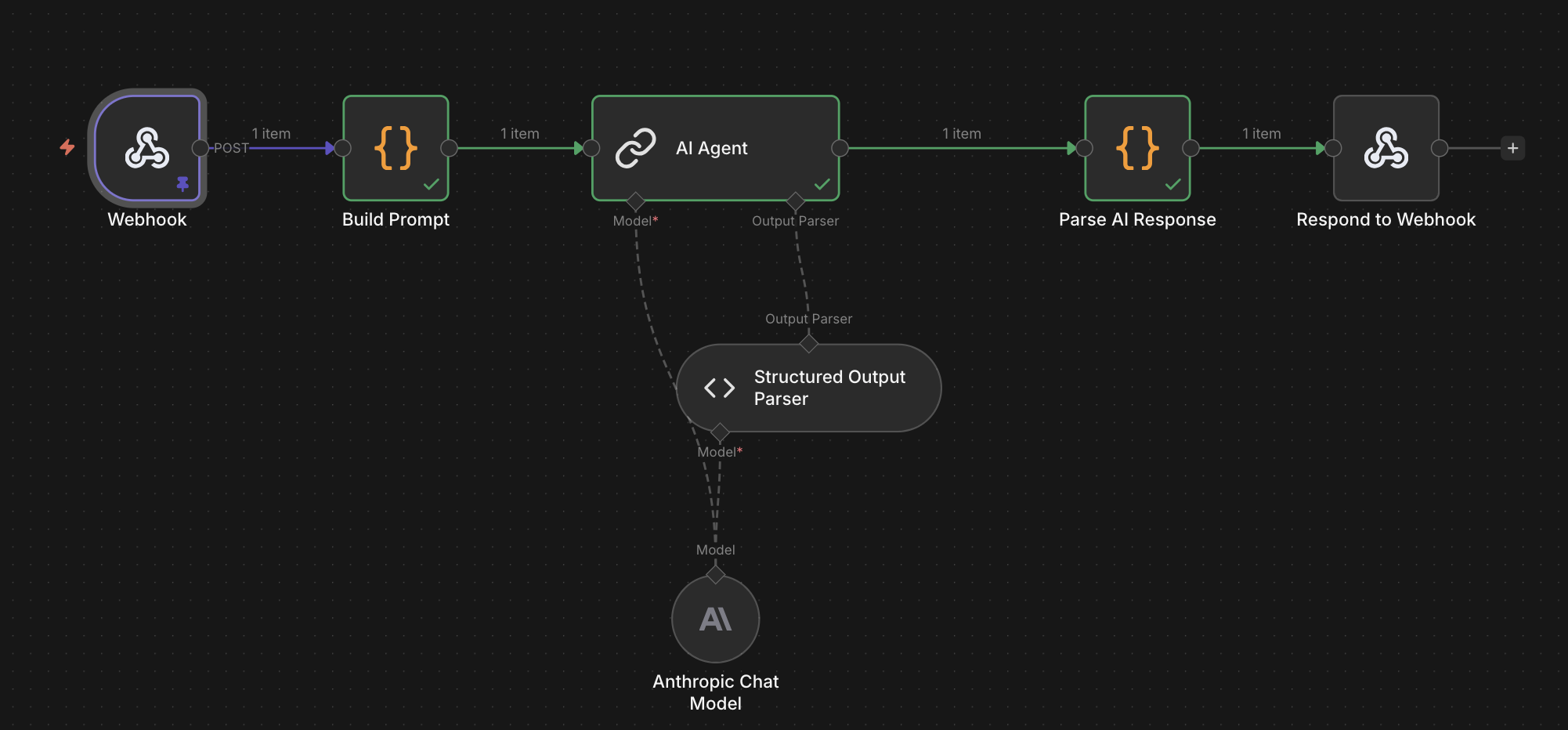
It missed a few things, and we worked together to clean it up, but we got there by the time Claude Code had finished the first version of the widget!
Test
Now that the widget was done, I manually (I know, so caveman of me) created an Experience Builder App and added our new widget and behold:
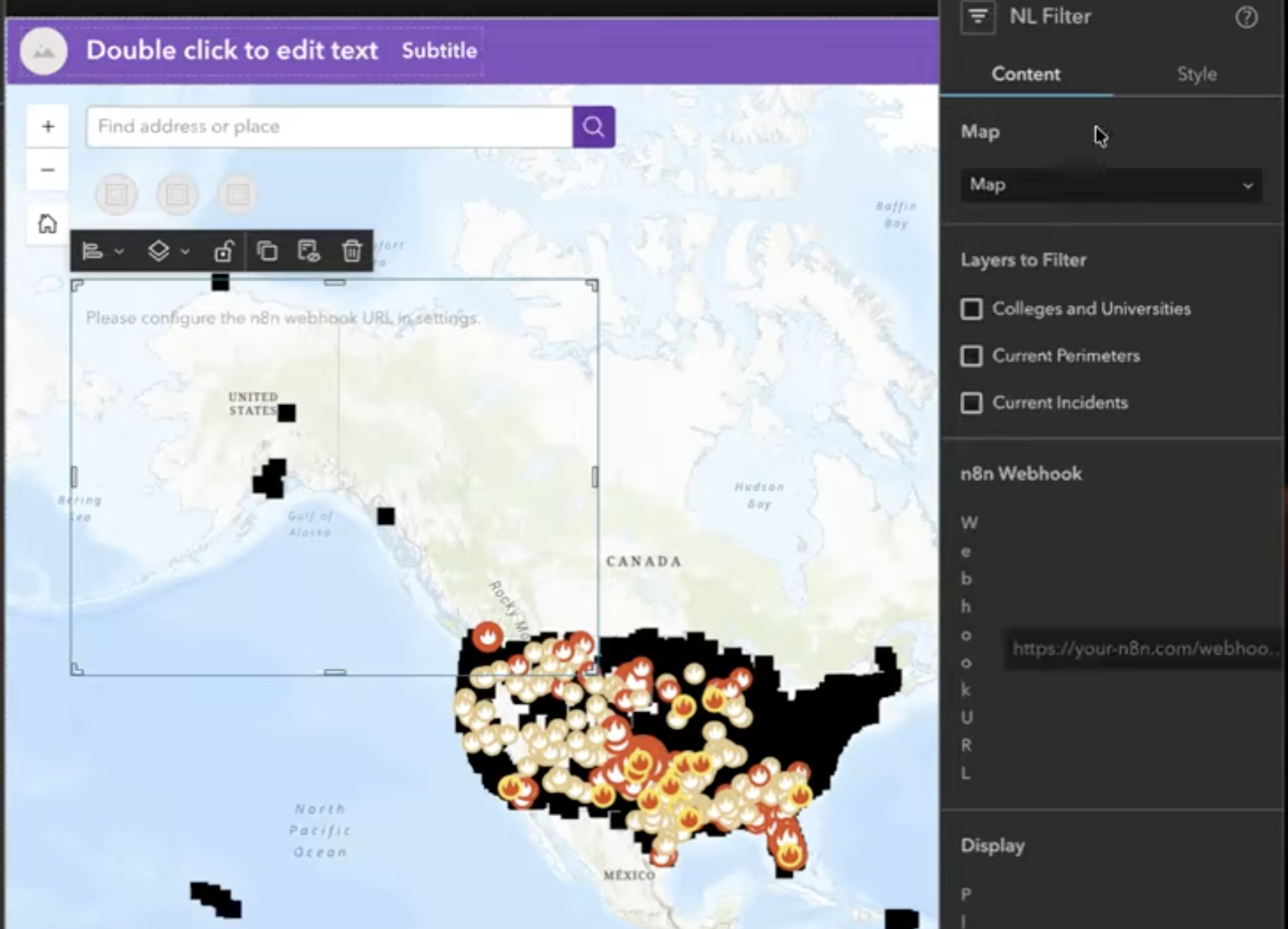
It worked! The configuration screen wasn’t exactly what I wanted, but more on that later. I was able to test out the n8n workflow using the widget, then connect it all up and:
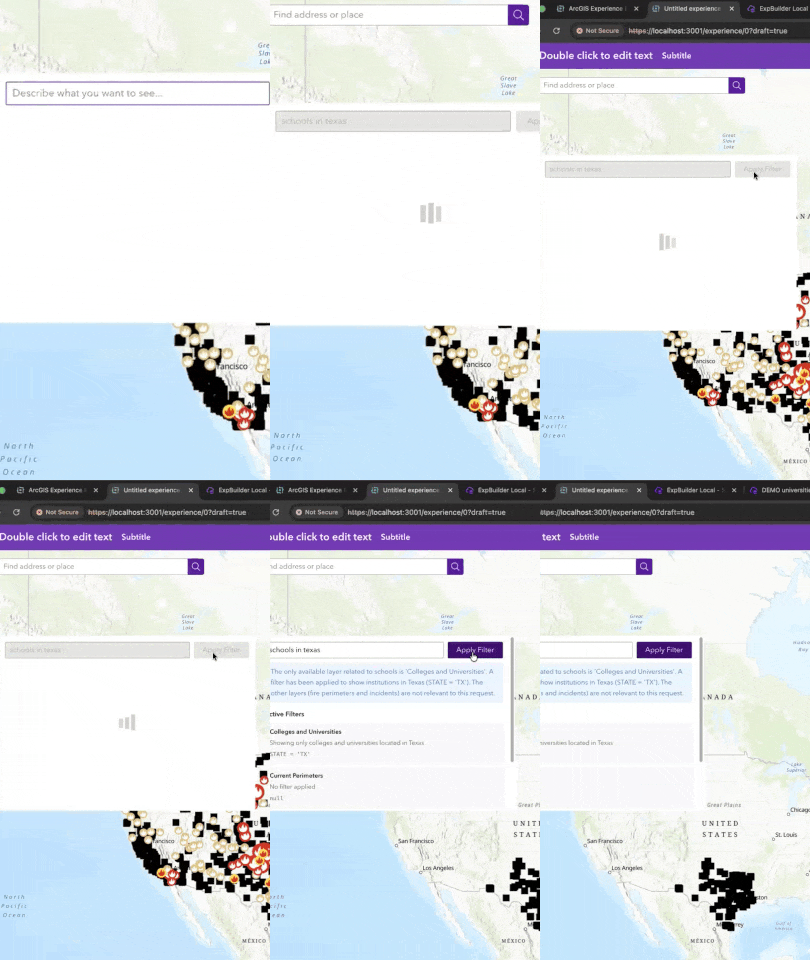
IT WORKED! I am continuously amazed when this stuff works on the first try, but it did.
We spent most of the remaining time talking about this, testing out various questions and seeing what it could do and what it couldn’t. The main limitation to keep in mind with something like this is that it is a where clause so we are just filtering data with attributes, no spatial filters. So if you want users to be able to filter by things like county, throw that in as an attribute on the layers!
A bit of follow up
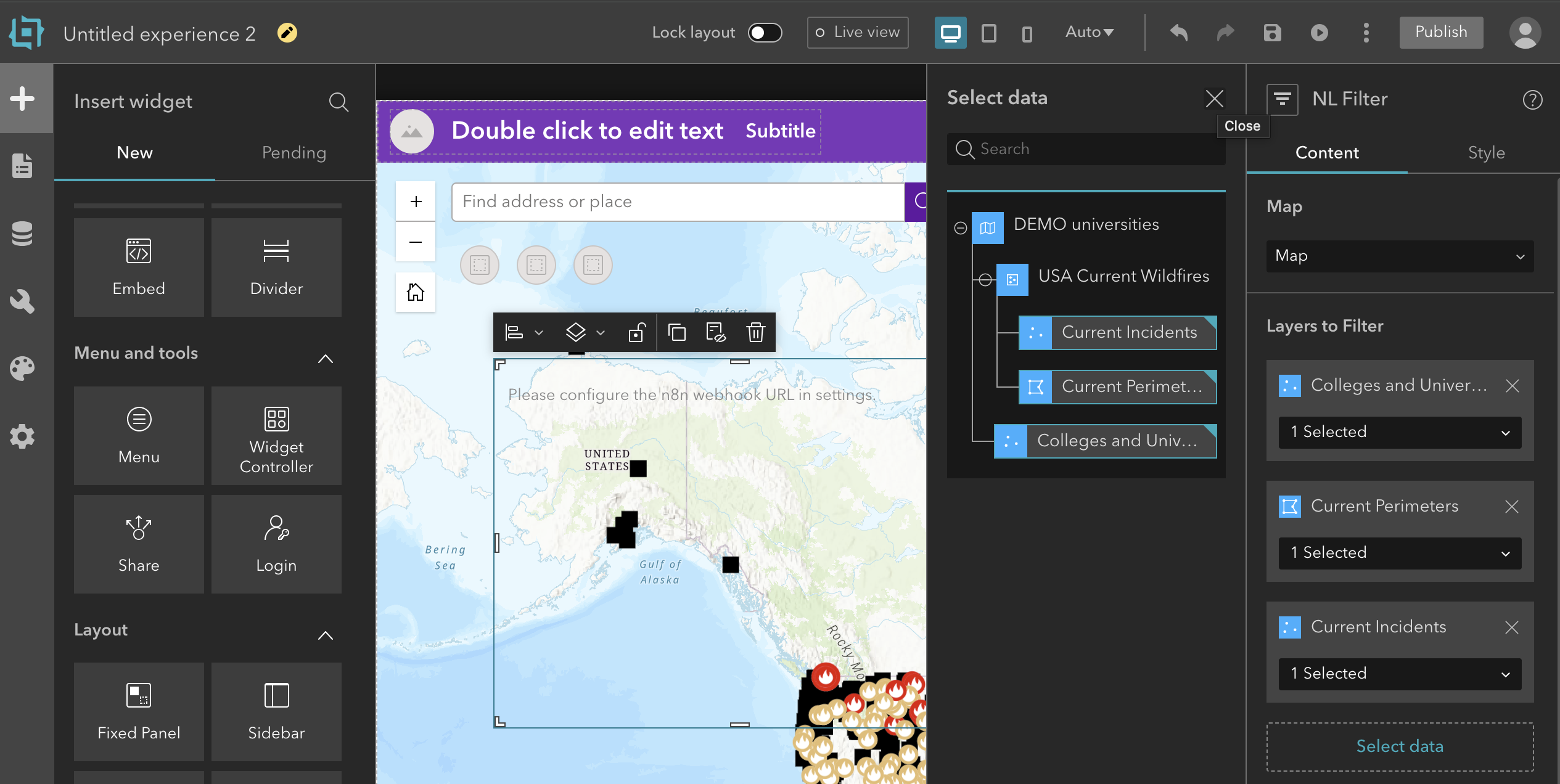
At the end of the livestream, I had tried to get it to fix the settings panel, but didn’t have time to show the results. It took some back and forth, and some screenshots to convince it that things were not working, but about 10 minutes later we finally got there:
Try it Yourself
I’ve created a GitHub repository with the source files I used to get Claude to work, I would love for other people to try it—please give feedback and open pull requests with updates to the prompts and documentation. The more people that work on it, the better it will be!
Although I applied this pattern here to Experience Builder, the techniques apply to any complex system like this.
Newsologue
- OpenAI “bought OpenClaw” or rather, hired the person who built it to build the next generation of AI assistants. There is a lot of speculation about what this means. Right now, the power of OpenClaw was, I think, mostly due to the lack of guardrails and security.
- Anthropic officially made it against the rules to use your Claude.ai account for anything that isn’t an official Anthropic app. This matters because that’s how OpenClaw worked, and Anthropic was kind of letting people get away with it, until OpenAI bought it that is. :shifty-eyes:
- Anthropic released Sonnet 4.6. It is very good (see the benchmarks at that link), but not as good as Opus 4.6. However, it is waaaaaaaayyyyy cheaper, so it is often worth seeing if Sonnet can do the task, even if it takes longer or more tokens, it might cost you much less.
Epilogue
Building live is always a little scary, but trying to build a custom Experience Builder widget (something I haven’t done in years) live is maybe a lot terrifying. But the stream went well and the widget worked!
I wrote this post, by getting summaries from each of the AI agents that were present in the live stream, my verbal recount of it, and Agnes’s summary (she was helping behind the scenes) and feeding it all into Claude. Then, I wrote this post (using that as reference material).
Then Claude edited, and Holly edited.